You can keep bedtime listening out of your top songs and artists, but the right setting will not erase every trace of those overnight hours.
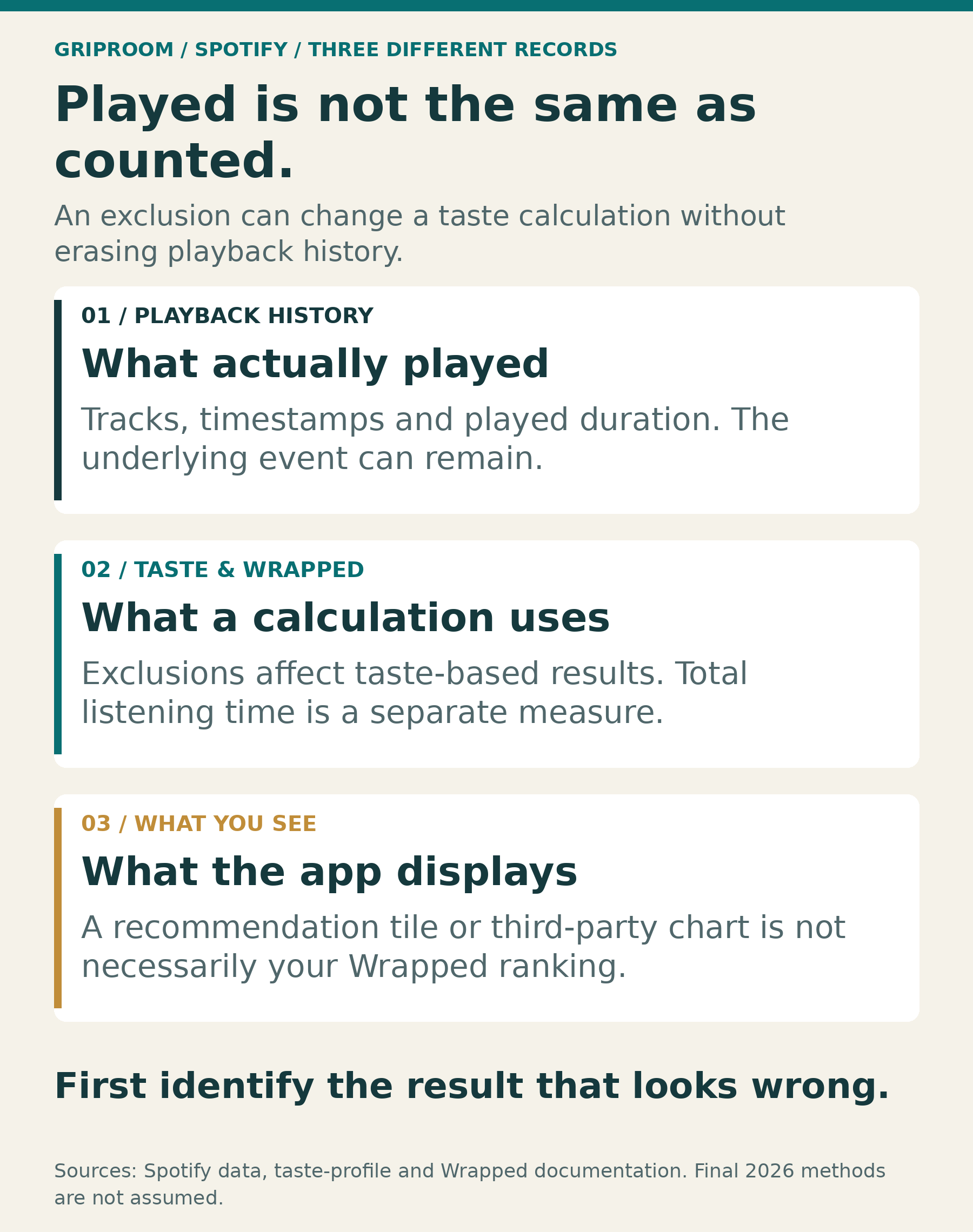
Yes. Open your sleep playlist or an individual track, tap its three-dot menu, and choose Exclude from your taste profile. Spotify recommends this for bedtime audio and says it applies to past and future listening. The important exception: excluded streams still contribute to Wrapped’s total listening time. Spotify’s Wrapped preparation guide explains the control; its exclusion documentation spells out the minutes exception.
There is another catch. Excluding a playlist does not necessarily exclude every other occasion when you played the songs inside it. And Spotify’s newer Taste Profile feature, which accepts written instructions about your preferences, serves a different purpose.
Getting this right starts with deciding what you want to change: your top songs, your recommendations, or the enormous number of minutes on your year-end card.
Why a bedtime soundtrack can overwhelm your year
You might actively choose music for an hour or two a day, then leave something soothing running all night. The second habit can produce far more playback than the first, even if you barely remember the recording.
Consider a hypothetical week with eight hours of bedtime audio each night and 90 minutes of daytime music each day. That produces 3,360 overnight minutes and 630 daytime minutes. Bedtime playback accounts for about 84% of the combined total.
That arithmetic explains how a time-based summary can feel detached from your actual taste. It does not predict your top artist or song, because Wrapped’s different rankings use different calculations.
Spotify’s 2025 methodology explanation says Top Songs ranked qualifying plays, while Top Artists used a weighted play count that gave primary artists more credit than featured artists.
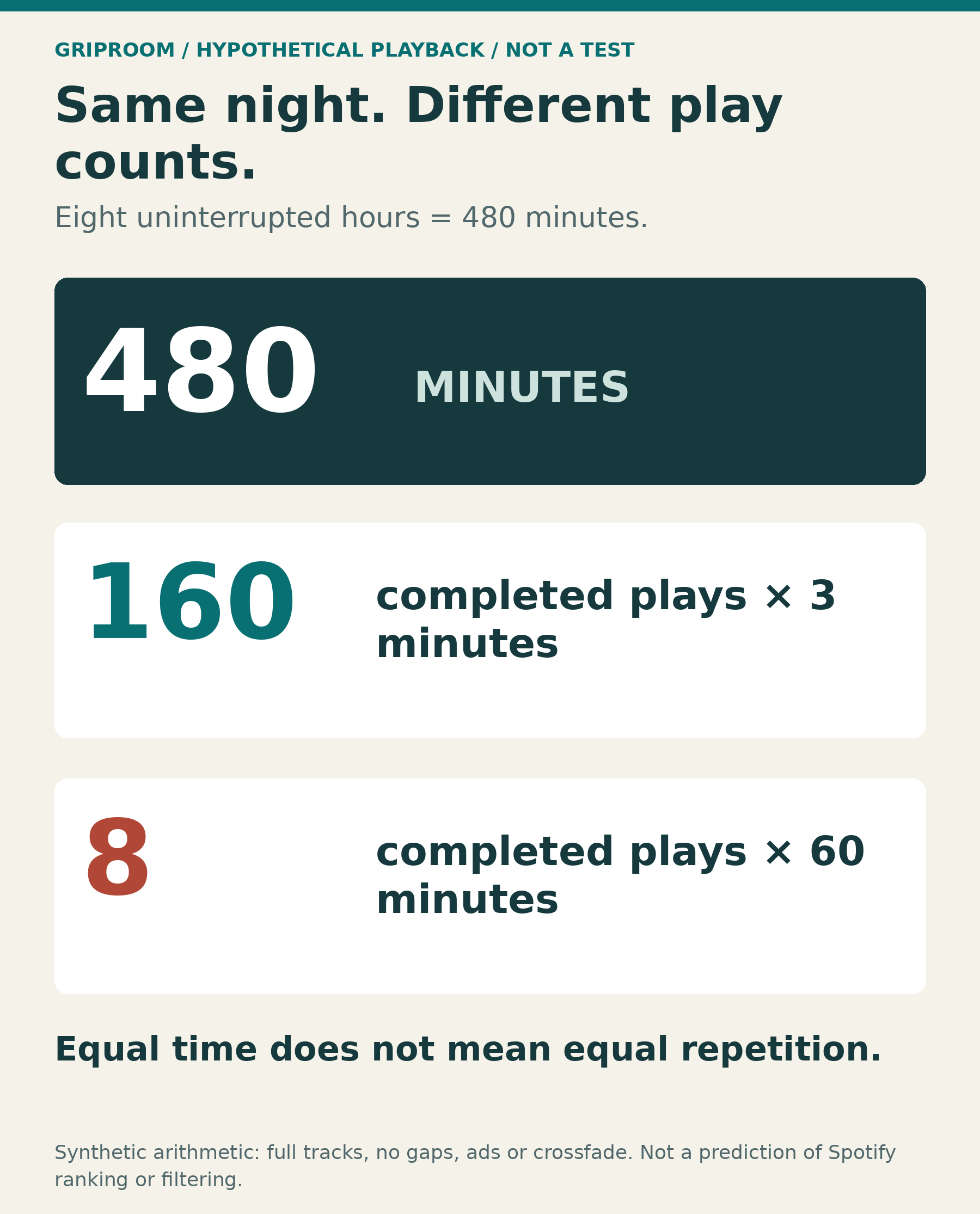
The distinction matters. In an uninterrupted eight-hour period, a three-minute recording can finish 160 times. A one-hour recording can finish eight times. Both fill 480 minutes, but the number of completed plays differs by a factor of 20. Those are illustrative calculations, not predictions of Spotify’s rankings or an experiment with its filtering.
Your most persistent bedtime habit can therefore have an outsized presence without being the music you would name as your favorite.
Use the exclusion control on the thing you actually play
For a regular sleep playlist, open that playlist and use its three-dot menu. For a recording you repeatedly start from search, an album, or another collection, open that track’s menu instead.
Select Exclude from your taste profile for a playlist or Exclude track from your taste profile for a song. You can reverse the decision using the corresponding Include option.
Individual-track exclusion is available to Free and Premium listeners on mobile, desktop and the web. You do not need to buy a subscription simply to use it, and older advice saying you must first create a one-song playlist is outdated. Spotify introduced individual-track exclusion in October 2025.
Exclusion lets you keep using the audio. You do not have to sacrifice the sound that helps you settle down just because it is a poor description of your daytime music taste.
The playlist mistake that can leave unwanted listening behind
Suppose you exclude a playlist called “Bedtime,” then play one of its recordings from Liked Songs the following afternoon. Spotify says streams started outside the excluded playlist still influence your taste profile.
The same distinction matters after an accidental overnight repeat. Putting that recording into a newly created excluded playlist should not be treated as a way to erase unrelated earlier plays. Use the individual track’s control for that situation.
Spotify allows up to 48 hours for exclusion to take effect; a weekly recommendation playlist may not change until its next refresh. An unchanged recommendation immediately afterward does not, by itself, show that the setting failed. These scope and timing details are in Spotify’s exclusion FAQ.
For recurring bedtime listening, the useful question is not simply whether you excluded something. It is whether you excluded the playlist you actually start, or the particular recording that keeps following you around.
The new Taste Profile chat does not edit Wrapped
Spotify now uses the words “Taste Profile” for a feature that lets eligible listeners describe what they want to hear. You might reasonably assume that telling it to ignore sleep music would accomplish the same thing as excluding a track.
Spotify’s Taste Profile support page says otherwise: the beta feature changes Home recommendations and does not affect Wrapped.
Those written preferences can help guide what appears on your Home screen. They should not be treated as instructions to remove old plays from your year-end rankings.
There are similar traps elsewhere in the app. Removing an item from Home or Recents tidies the screen without changing future recommendations, according to Spotify’s November 2026 Home update. A disappearance from view is not evidence that the listening record has been removed.
When the goal is Wrapped, look for the exclusion option attached to the track or playlist, rather than assuming that any control which makes the app look better has done the same job.
Private Session has a six-hour limit
Private Session is another option for listening you do not want shaping recommendations. On mobile, it sits under your profile picture, Settings and privacy, then Privacy and social.
But it is temporary. Spotify says it switches off after six hours or when you restart the app. Its current documentation also says the setting applies across your account’s devices, including connected speakers and TVs. Spotify’s Private Session guide explains both limits.
For an eight-hour night, a session that expires after six hours could leave the final two hours outside that protection, assuming playback continues and nothing else excludes it. That is a quarter of the night. It is a potential gap based on the documented timer, not evidence that every device has recorded such a gap.
A temporary session can suit an occasional listen. For a nightly routine, excluding the intended playlist or track avoids depending entirely on remembering a toggle that will later switch itself off.
Why your total minutes can still look enormous
Removing bedtime audio from taste-based results does not turn those hours into time you never spent streaming.
Spotify’s detailed 2025 Wrapped data guide explicitly included excluded listening, Private Mode sessions and filtered background sounds in total minutes. That specific explanation is important because some shorter descriptions of privacy controls simply say the listening will not appear in Wrapped.
A result with ordinary top songs and surprisingly high total minutes can therefore be consistent with the system working as described. The two statistics answer different questions.
The first is about which music the service associates with your taste. The second includes time spent using the service, even when the audio was functional background sound.
Before trying another fix, identify which number bothers you. If you want an estimate of time spent deliberately listening while awake, Wrapped’s total is not designed to provide that distinction.
Does Spotify already filter white noise?
Spotify says it tries to filter certain non-music recordings, including white noise and nature sounds, from taste-based Wrapped stories. Its methodology explanation describes this as a best-effort process, not a promise that every recording will be classified perfectly.
More importantly, “music I sleep to” covers much more than noise. A piano piece, ambient album or familiar pop song does not become non-music because you use it at bedtime. A playlist’s title cannot establish how Spotify will classify every item inside it.
Relying on automatic filtering leaves that judgment to the platform. Using the relevant exclusion control communicates your preference more directly.
Can you fix Wrapped after it comes out?
Do not assume a change to your taste profile will rebuild an already-delivered recap.
For the 2025 release, a Spotify staff answer said the company could not update users’ Wrapped data or playlists. That is a documented historical limitation, not a guarantee that every future release will work identically.
Spotify’s November 2026 preparation guidance encourages exclusions before the reveal, but does not provide an exact final deadline for making those adjustments. A documented processing interval is not a promise that a last-minute change will reach the final year-end calculation.
Making the change early is the sensible move. If a recap has already arrived, use it to improve the listening setup going forward rather than expecting an immediate replacement card.
If the result still seems wrong, check which result you are viewing
A top-played list, a recommendation playlist and a third-party chart can tell different stories.
For example, Spotify’s 2024 Music Evolution playlist deliberately combined familiar music with new recommendations. Finding an unfamiliar song there did not mean Spotify claimed you had played it repeatedly. Likewise, its public Top Items API describes calculated affinity over rolling periods, not a reproduction of Wrapped’s annual rankings.
For a closer look at an unusual night: Spotify offers downloadable listening data. Its data guide says extended history includes played duration, timestamps, platform and private-session information. Those records can help identify what actually ran overnight.
They do not provide every hidden calculation needed to recreate Wrapped, and a recording remaining in history does not prove its exclusion failed. Keep exports private: they can also contain IP addresses and other personal information.
For most listeners, that investigation will be unnecessary. The practical fix is to choose the right exclusion for the way you listen, allow time for it to apply, and judge success by the relevant rankings rather than expecting every overnight minute to disappear. You can keep your bedtime soundtrack without asking it to represent your entire musical year.